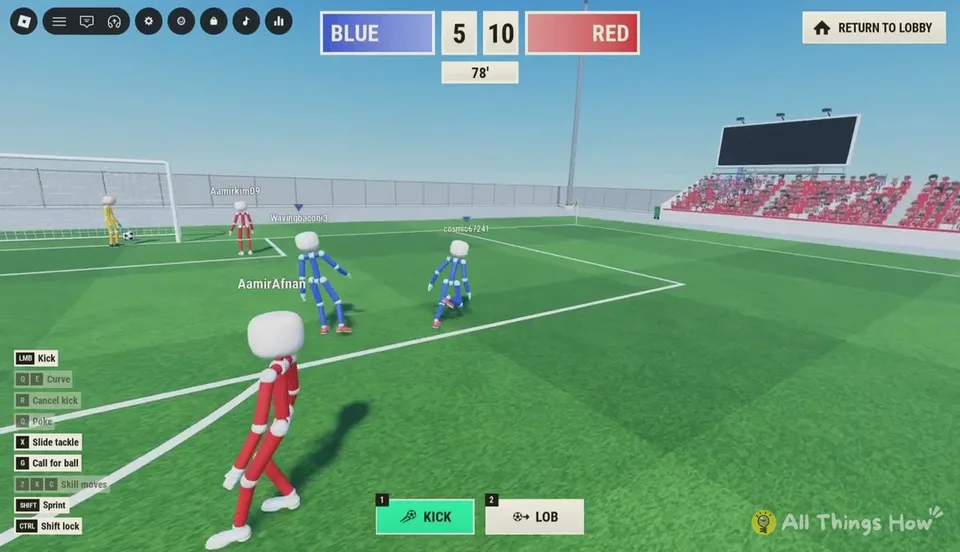
Read the on-screen list
During a match the game prints its control list in the bottom-left. That list is the current source if a bind changes. The table below combines that HUD with the hotbar keys used for shot types.
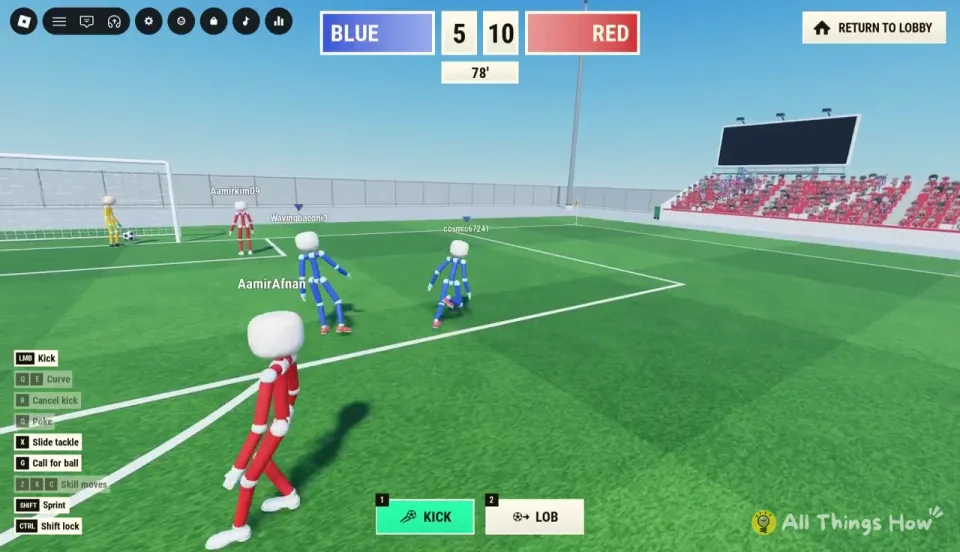
| Input | Action |
|---|---|
| WASD or arrow keys | Move |
| Left mouse button | Kick. Hold to charge, then release |
| 1 | Select the standard kick. The selected hotbar slot glows green |
| 2 | Select the lob |
| Q or E | Curve the ball while you are charging a shot. The two keys bend in opposite directions |
| Q | Poke the ball when you are right next to it |
| R | Cancel a kick and keep the ball at your feet |
| X | Slide tackle |
| Z, X, or C | Skill moves |
| G | Call for the ball. A green PASS! bubble appears |
| Shift | Sprint |
| Ctrl | Toggle shift lock so the ragdoll faces the camera |
Keys that do two jobs
Q curves a shot while you charge, and it pokes the ball when you are beside it. The poke is the lighter challenge. It does not throw your whole body into a slide.
X is both a slide tackle and one of the skill-move keys. While you are chasing an opponent, X puts you into a slide. What Z and C do on their own was not published. Test them in Practice, and do not assume each letter is a named trick.
Shift lock on Ctrl keeps the camera behind you, which makes the cursor line up with the shot more reliably.
Space is reported two ways
Guides do not agree about Space.
- Several control lists call Space jump, including headers and hopping a slide.
- A HUD walkthrough of a live match calls Space the vote to skip a goal replay, with a votes counter on the replay screen.
- One controls article lists both jump and the replay skip on Space.
Use the bottom-left list in your current match. Do not assume an older table is still the only binding. The replay screen itself shows when a skip vote is available.
Phone and controller
On mobile, movement is a stick on the left. Kick, lob, curve, tackle, and sprint are on-screen buttons on the right. Hold the kick button to charge, then release to shoot. Exact button art can change with the UI.
A full controller face-button map was not published. Use the prompts in the match rather than a layout borrowed from another soccer game.
How a shot is built
The hotbar shows 1 KICK and 2 LOB. When you charge, a meter shows POWER and HEIGHT, plus a shot name such as DRIVE. A circular aiming ring on the grass means you are close enough to strike the ball.
Looking down keeps the ball low. Looking up adds height. The HEIGHT bar and your camera angle are both part of published shooting instructions. Practice lessons are the place to see how they move together. A full-power drive is described as fast and flat. A shorter charge is a softer pass or a placed finish.
Cancel with R if a defender closes the angle. Cancelling does not fire a weak shot.